Use favorite lists to find codes

Create favorite lists for the CPT and HCPCS codes you use most often so you can organize them by workflow and find them faster during encounter entry.
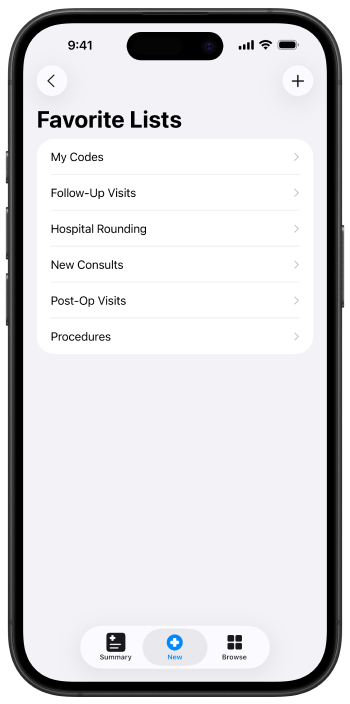
Favorite Lists screen with My Codes, Follow-Up Visits, Hospital Rounding, and other lists plus plus button and tab bar

Create a favorites list

  1. From the New tab, tap Manage Favorite Lists.
  2. Tap the plus icon in the top-right corner.
  3. Enter a name for your list, such as Post-op or a surgery type, then tap Save.

Add frequent codes

  1. Open the favorite list you want to update.
  2. Scroll to the bottom of the list, then tap Add Code.
  3. Use the search bar to find a CPT or HCPCS code by code or description.
  4. Tap the plus icon next to the code. A checkmark means the code was added to the list.

Apply a list during encounter entry

  1. Start a new encounter and open the code selection view for a procedure.
  2. At the bottom of the code selection view, open the current favorite list.
  3. Select a different list from the menu if needed, then choose the code you want to add.

See also