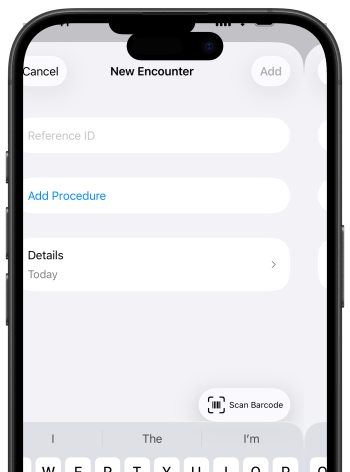
Scan hospital barcodes. Use your chart barcodes to identify your patients or just manually type an identifier.
RVU Wallet is committed to bringing transparency to every provider.
Our app is built for physicians to visualize impact with confidence and know their worth.
With trustworthy insights, patient care becomes the sole focus without needing to stress about your pay.
And your work is always yours, securely stored and accessible anywhere you go.
Scan hospital barcodes. Use your chart barcodes to identify your patients or just manually type an identifier.
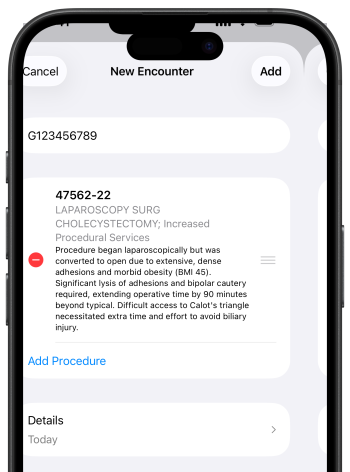
Code like a pro. Find any CPT® or HCPCS codes and attach modifiers to accurate coding. Add notes if needed to provide more context.
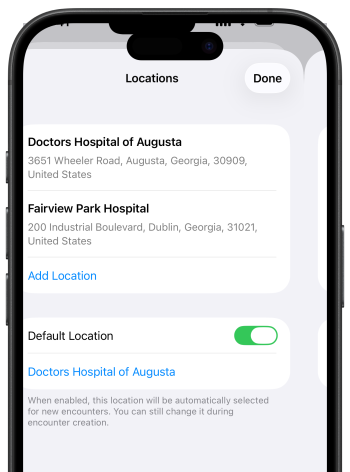
Pin the location the encounter took place. Create a link between the RVU Wallet app and your hospital. If your hospital uses a barcode to identify patients with MRN, you can scan it on the app.
500,000+ encounters have been recorded with RVU Wallet.
Built into daily workflows, RVU Wallet helps providers log encounters quickly and keep reliable records year-round.
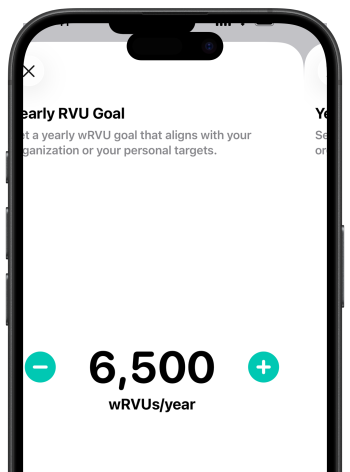
Put a number to it. Set your annual wRVU goal and define what success looks like for you. RVU Wallet makes it easy to start with a clear target that you can build on throughout the year.
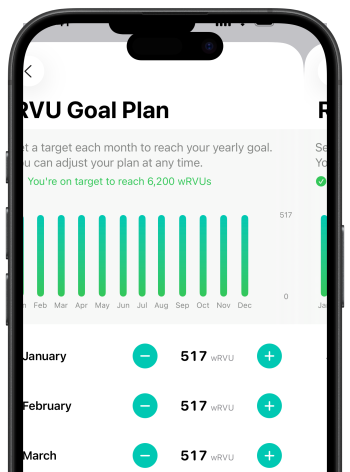
Plan to succeed. Turn your annual wRVU goal into a clear monthly plan. Adjust each month’s target to fit your schedule and stay confident that every milestone moves you closer to your goal.
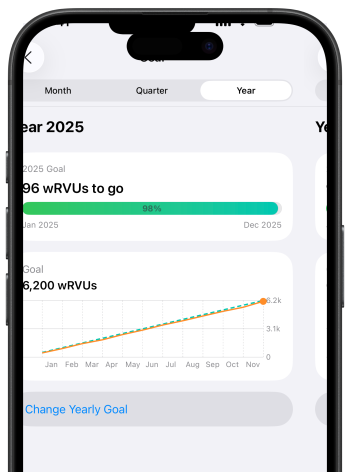
Stay on pace. See how your progress stacks up against your yearly goal, with visuals that make it easy to spot whether you’re ahead, on track, or failing behind.
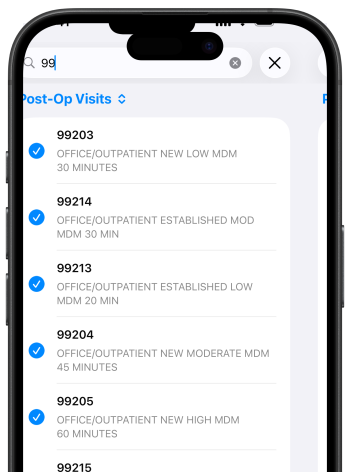
Save your go-to codes. Add any CPT® or HCPCS to save it as a favorite. Your most-used codes stay in one place, synced across your devices.
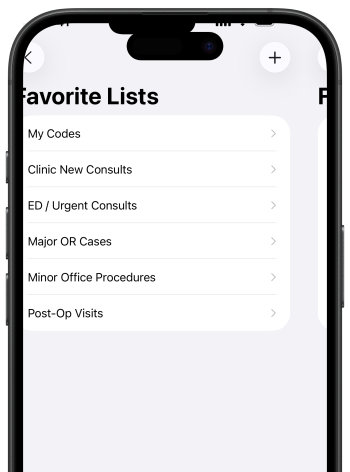
Build lists that match your workflow. Create multiple favorites lists—for clinic, OR days, tele-health, or specific procedures. Rename, reorder, and edit them anytime.
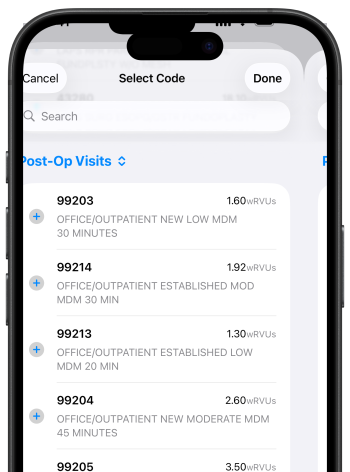
Switch lists while you code. When you add an encounter, pick the favorites list you need and tap through codes in seconds instead of searching.
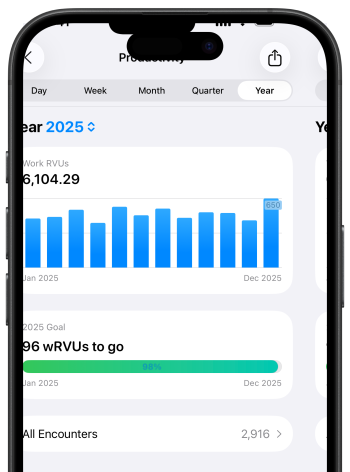
See the big picture. View your RVUs build over time. Filter your encounters by day, week, month, quarter, or year to understand trends, measure productivity, and spot changes at a glance.
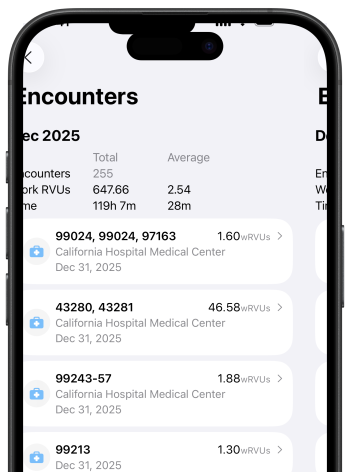
Find any encounter. Scroll through your history, grouped by month, to jump back to the cases you care about without digging through spreadsheets.
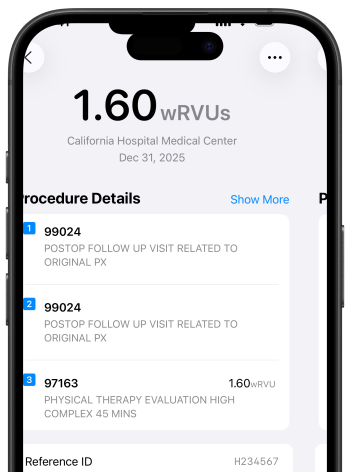
Zoom in to get a detailed report. Break down every CPT®, HCPCS, and modifier for each encounter – and see exactly how they affect your wRVUs and compensation.
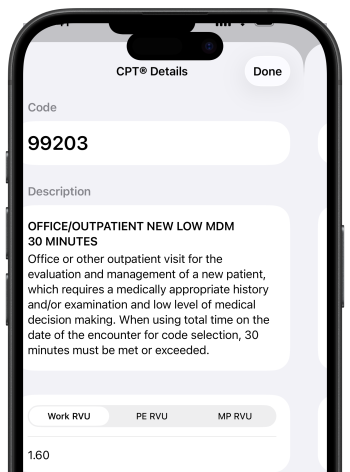
See RVUs at a glance. View work RVUs, total RVUs, and time for every code—no more flipping between books, PDFs, or spreadsheets.
Thousands of codes updated every quarter of every year.
RVU Wallet stays current with CPT® and HCPCS updates up to the quarter, so you’re always working from the latest descriptions and values.
The RVU Wallet app helps healthcare
professionals see their work in RVUs.
We are so much more than
a RVU tracker app—we’re the place
where all your work lives.
Join the thousands of physicians and
APPs who’ve trusted their work
with RVU Wallet.
Yearly
$119.99/year,
first week free for new subscribers
Get RVU Wallet for every provider
in your service line or organization.